neo4dAndroid & iOS App
Mobile devices dominate how Indonesians access online services, and we at neo4d have built our platform to work seamlessly on phones and tablets. Whether you use Android, iOS, or a web browser, our app and mobile site give you the same live-dealer tables, slot games, and sports markets available on desktop.

- StartFirst Game
- Installin
- SHA256 Match
- Update
We offer multiple ways to access neo4d depending on your device and preference. Android users can download our APK directly from our platform. iOS users can access neo4d through a mobile-optimized web app in their Safari browser. All users can also access our full platform through any modern web browser on their phone or tablet, with no app installation needed.
This guide explains how to install and use neo4d on your mobile device, what to expect from the app experience, and how to resolve common installation issues. Our goal is to make it as simple as possible for you to access live blackjack, roulette, baccarat, Dragon Tiger, Sic Bo, slot games, Liga 1 betting, and esports markets whenever and wherever you want.
How to access neo4d on your mobile device
We provide three main ways to use neo4d on mobile. Choose the option that fits your device and comfort level.
Step-by-step installation guide
-
Download the neo4d APK (Android only)
Open the neo4d website on your Android phone, navigate to the app download section, and tap the APK download button. The file will download to your phone's default download folder.
-
Allow unknown sources (Android only)
Go to Settings > Security, enable "Unknown Sources" or "Install Unknown Apps," then select your browser or file manager. This allows installation of apps from sources outside the Google Play Store.
-
Install the app
Find the downloaded APK file in your file manager or downloads folder and tap it. Android will prompt you to confirm installation. Tap "Install" and wait for the process to complete.
-
Register or log in
Once the app is installed, launch it and either log in with your existing neo4d account or create a new account. Then verify your email and set up your payment method using DANA, e-wallet, mobile banking, local payment, online payment, e-wallet, mobile banking, local payment, online payment, or e-wallet.
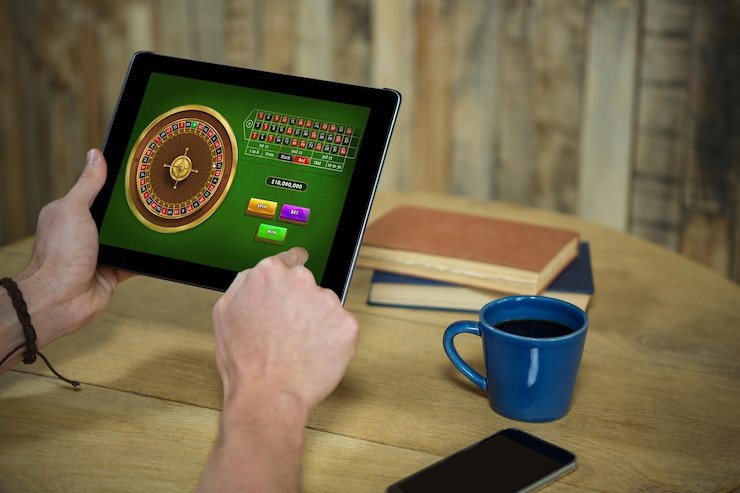
neo4d app versus mobile browser
Both the neo4d app (Android) and the mobile web version deliver the same games, sports markets, and live-dealer tables. The app version offers some additional conveniences. Our app can cache game data locally, so you experience slightly faster load times even on slower connections. The app also sends push notifications when tournaments are about to start or when your withdrawal is processed. You can customize notifications in the app settings. The web version requires no installation and works on any device with a modern browser—iOS, Android, Windows, or Mac. If you travel between devices or prefer minimal storage use, the browser version may suit you better. Many users maintain both: they keep the app on their primary phone for convenience and use the browser version as a backup on tablets or borrowed devices.
Push notifications and data usage
Our app uses minimal data. A typical live-dealer stream consumes less than 10 MB per hour. You can disable notifications at any time in Settings > Notifications on the neo4d app.
Device compatibility and system requirements
We at neo4d ensure our platform works on most modern devices. For Android, we support version 7.0 (released in 2016) and later. This covers the vast majority of phones in circulation across Jakarta, Surabaya, Bandung, Medan, and Semarang. For iOS, Safari on iOS 12 and later will run our web app smoothly. If you use an older iPhone or Android device, you may experience slower performance or missing features, but basic access should still work. If you are unsure whether your device is compatible, install the app or open neo4d in your browser and see how it performs. If the interface is slow or functions are missing, contact our support team and we can advise on alternatives.
Troubleshooting installation problems
The most common installation issue on Android is a security warning about "Unknown Sources." Android requires you to explicitly permit installation of apps from outside the official Google Play Store. To allow this, go to Settings > Apps > Special app access (or Security, depending on your Android version), find "Install unknown apps," select your browser or file manager, and enable the permission. After this, you should be able to install the neo4d APK. Another common problem is insufficient storage space. Our app requires approximately 100 MB of free space. If your phone is full, delete unused apps or clear your browser cache, then try again. On iOS, the web app does not require installation or storage, so this issue does not apply. If you receive a certificate error when downloading the APK on Android, your phone may be checking the file signature. This is normal and secure. The neo4d APK is digitally signed, so the error should resolve automatically. If it persists, check your phone's date and time settings—an incorrect clock can cause certificate validation to fail.

App permissions, data storage, and account security
When you install the neo4d app on Android, it requests permission to access your device's internet connection and storage. These are necessary for the app to download game graphics and cache your session. We do not access your contacts, calendar, location, or camera without explicit permission from you. Your login credentials and payment information are encrypted and stored securely on our servers, never on your device in plain text. If you lose your phone or decide to uninstall the app, your neo4d account remains safe—no one can access it without your password. We recommend enabling a PIN or biometric lock on your phone to prevent unauthorized access if your device is stolen. On the neo4d app, you can log out at any time, which clears your session from that device. Your account data remains in our systems and is available when you log in on a different device.
Key takeaways
- Download the neo4d APK on Android, use Safari on iOS, or visit neo4d.id in any browser
- Enable "Unknown Sources" in Android Settings before installing the APK
- Register or log in, verify your email, and deposit via DANA, e-wallet, mobile banking, local payment, online payment, e-wallet, mobile banking, local payment, online payment, or e-wallet
- The app offers push notifications and faster load times; the web version requires no installation
- We support Android 7+ and iOS 12+; check your device settings if you encounter installation errors
- Your login and payment data are encrypted; the app does not access your contacts or location without permission
Keeping your neo4d app updated and getting help
We release updates to the neo4d app regularly to add new games, improve stability, and fix security issues. On Android, you will see a notification in the app when an update is available. Tap the notification to download and install the new version. We recommend updating as soon as possible to enjoy the latest features and ensure your account remains secure. If you choose not to update, the app will continue to work, but you may miss important improvements. On iOS, since you use the web app, there is nothing to update on your device—we deploy updates to neo4d.id instantly, so you always access the latest version when you open Safari.
If you encounter any problems—the app crashes, you cannot log in, your deposits are not credited, or you have a question about a game rule—our support team is here to help. Contact us via live chat on the neo4d platform, and we will assist you in Indonesian or English. We also maintain an FAQ section on our website covering common questions about deposits, withdrawals, account verification, game rules, and technical issues. Many problems are resolved quickly by consulting the FAQ or restarting the app and logging in again.

The neo4d app brings all our live-dealer tables, slot games, and sports betting directly to your phone. Once installed and set up, you can deposit, withdraw, and play whenever you choose. Our platform is designed to work reliably on devices across Indonesia, with support for all major payment methods including e-wallet, mobile banking, local payment, online payment, e-wallet, mobile banking, and bank transfers. Start by downloading the app or opening neo4d.id in your browser, then follow the registration and deposit steps outlined above. If you have any questions during setup or while using the app, our team is available to assist you.